01
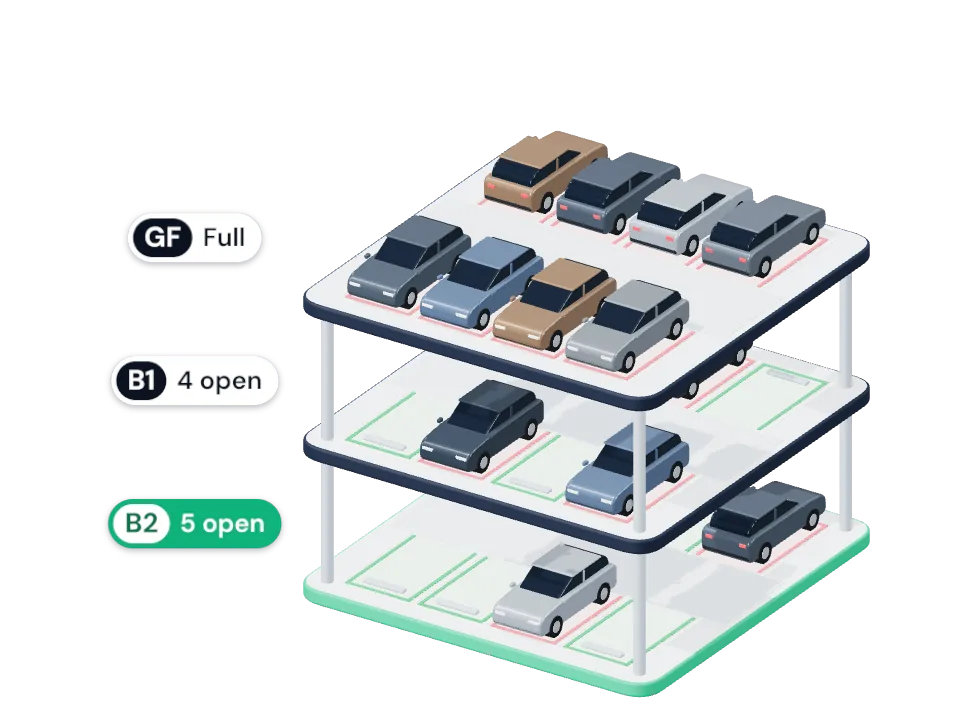
Open spaces, level by level
Compare floors before you leave home and head for the one with room.
See every open space at your mall before you drive in, pick your bay, and follow the route to it.
SeeKnow what's free
01In the app today
Seven things the app does for you, every time you park.
01
Compare floors before you leave home and head for the one with room.
02
In 2D or 3D. Bays change colour as cars come and go.
03
Accessible, EV, family, ladies and motorcycle bays, shown on their own. Bay types depend on the mall.
04
Choose a bay and save it. A line on the map shows the planned way from the entrance; it doesn't track your car.
05
Full, Almost full, Busy or Easy, with a tip on what to do. Based on the spaces left, not a percentage.
06
Free bays nearest the lift first, or the entrance. Each one described by the pillar beside it.
07
Hand off to Google Maps, Waze or Apple Maps. Your map app finds your location, so ParQ doesn't need it.
Something else? Write to support@parq.asia
ParQ launches mall by mall in Kuala Lumpur. Join the pilot and we'll email you the moment it goes live near you.
Seeing live availability in the app is free.
From the mall's own parking system: the sensors or cameras many malls already have above each bay. Bays update as cars come and go.
Yes. Availability comes from the car park itself, not from your phone's location, so it works on every basement level.
Not yet. ParQ draws your route on the map, from your entrance to your bay. Drive View, with large directions while you drive, is next. ParQ never tracks your car's position inside the building.
Join the pilot and we'll email you when ParQ goes live at a mall near you.